
Appearance
Activate Your Theme
Activate via wolfthemes.com (Freemius)
Once the theme is installed and activated, a Freemius opt-in screen will appear prompting you to enter your license key.
Enter the license key from your purchase confirmation email or your Freemius account to activate the theme.
You don't need to activate anything else. See Bundled Premium Plugin Activation for more information.
Activate via ThemeForest (Envato)
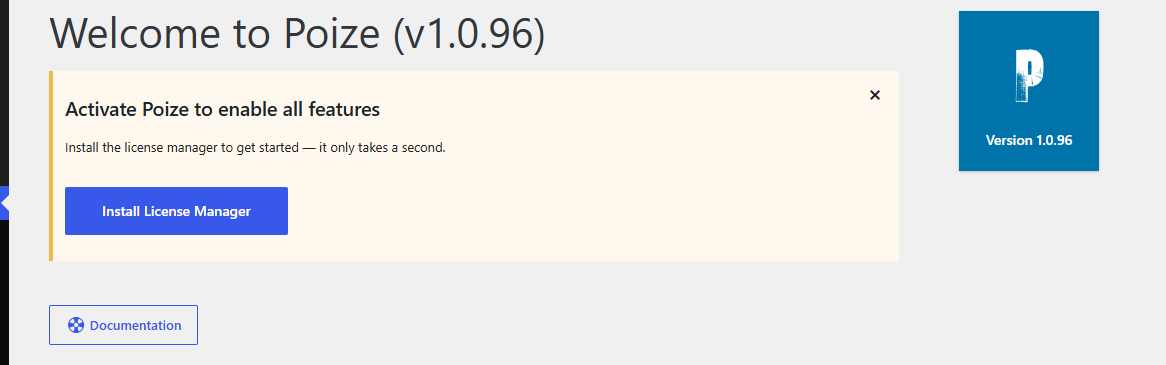
Once the theme is installed, you will see a prompt asking you to install the Envato License Manager plugin to verify your purchase.
Simply click on the "Install License Manager" button to install and activate the plugin automatically.
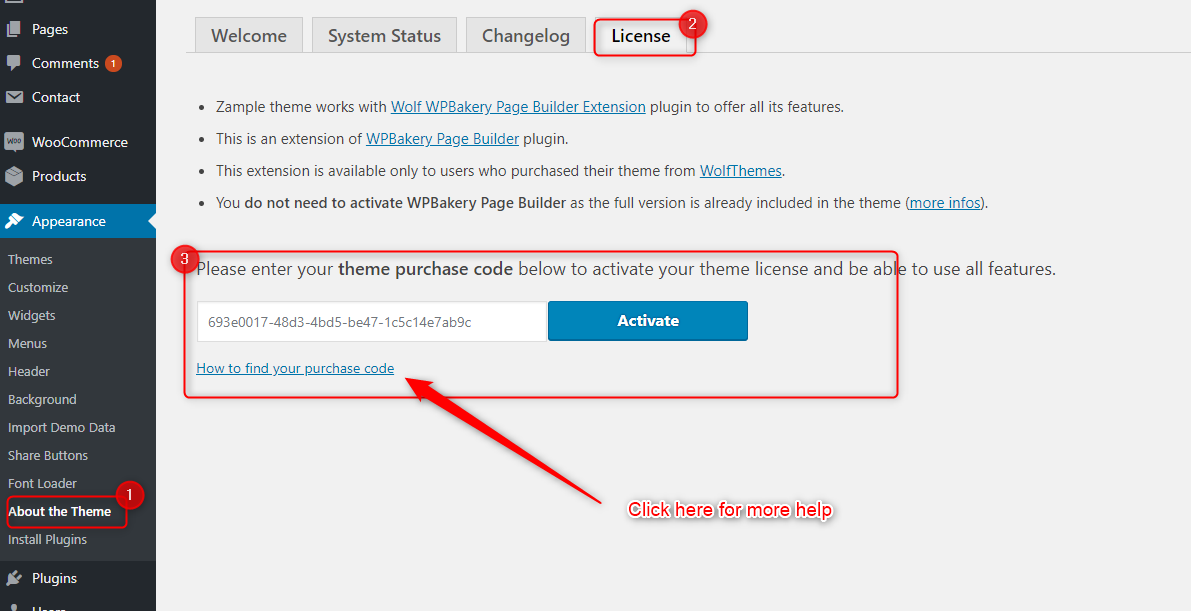
Then, go to Appearance > About the Theme and click the License tab. Enter your theme purchase code to activate the theme.
You don't need to activate anything else. See Bundled Premium Plugin Activation for more information.
Want us to take care of everything for you? Learn more