
Appearance
Enable WP Debug Mode
WP_DEBUG is a PHP constant that triggers debug mode throughout WordPress and displays error messages. It is useful for diagnosing issues with your theme or plugins.
How to Enable Debug Mode
Open the wp-config.php file at the root of your WordPress installation and set WP_DEBUG to true:
php
define('WP_DEBUG', true);Add or edit this line just above:
php
/* That's all, stop editing! Happy blogging. */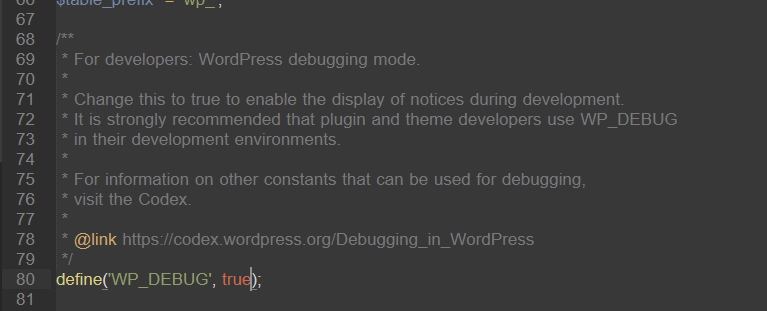
Remember to set
WP_DEBUGback tofalseonce you are done troubleshooting — you don't want error messages displaying to visitors on a live site.