
Appearance
Elementor Settings
If you're experiencing issues with Elementor on your website, follow these steps to troubleshoot and resolve the most common problems.
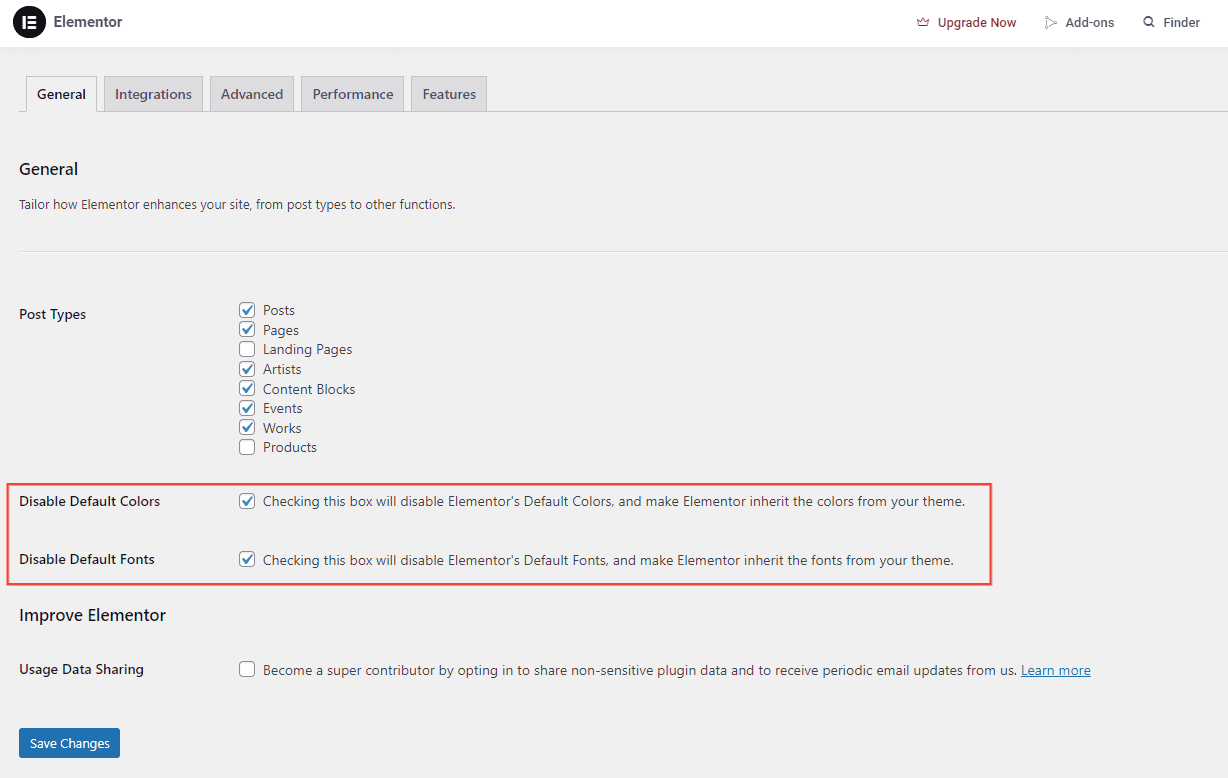
1. Disable Default Colors and Fonts
Elementor's default styles can interfere with your theme. Disable them to allow your theme's styles to load correctly:
- Go to Elementor > Settings > General tab.
- Check Disable Default Colors and Disable Default Fonts.
2. Check Post Types for Elementor
Elementor must be enabled for the relevant post types (pages, posts, custom post types). To verify:
- Go to Elementor > Settings > General tab.
- Ensure the necessary post types are checked.
If content isn't appearing as expected, the post type may not be enabled for Elementor editing.
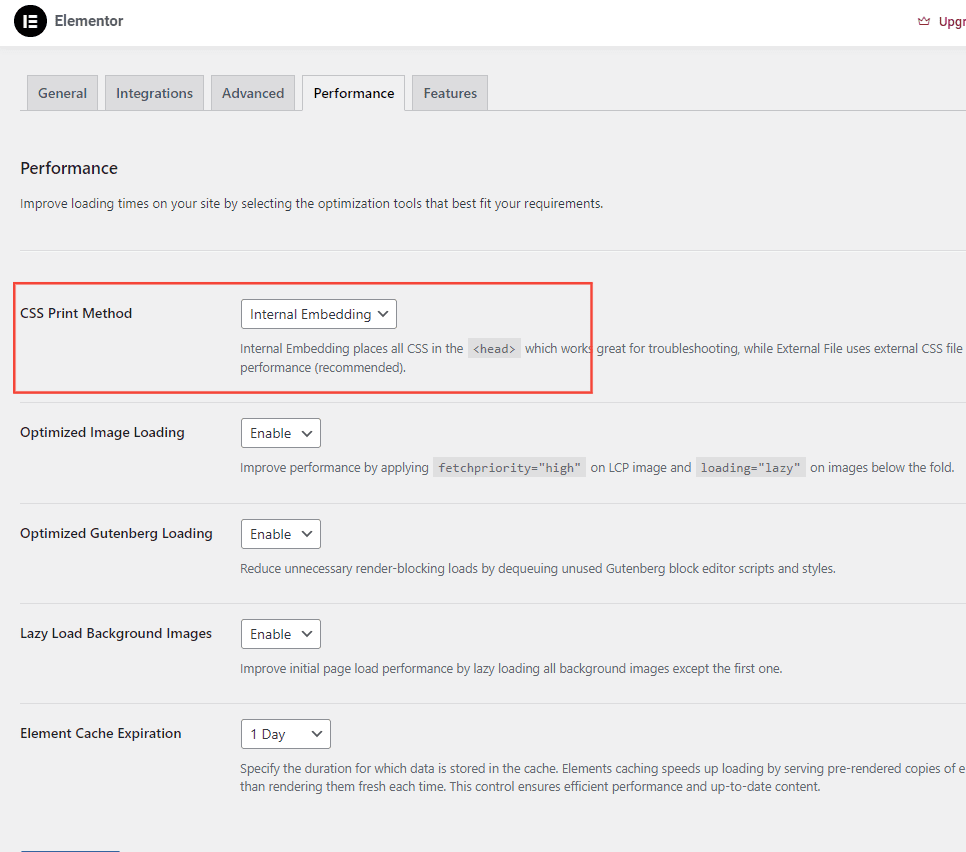
3. Set CSS Print Method to Internal Embedding
- Go to Elementor > Settings > Performance tab.
- Set CSS Print Method to Internal Embedding.
This embeds CSS within the page source, improving load times and avoiding conflicts with server configurations.
These steps resolve most common Elementor issues. If problems persist, feel free to post a support ticket.
Want to skip the hassle? Explore our setup services