
Appearance
Theme Translation
In each of our themes and plugins you will find a languages folder containing a themename.pot or pluginname.pot file.
A .pot file is a template containing all translatable strings. You can use it to translate your theme or plugin into any language and generate the .po and .mo files that WordPress uses to display the translation.
Set Your Language in WordPress
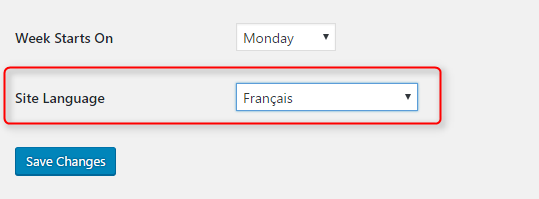
Before translating, set your site language under Settings > General and select your language at the bottom of the page.
Translate with Loco Translate (Recommended)
Loco Translate allows you to translate all strings directly in your WordPress admin panel.
- Install and activate Loco Translate.
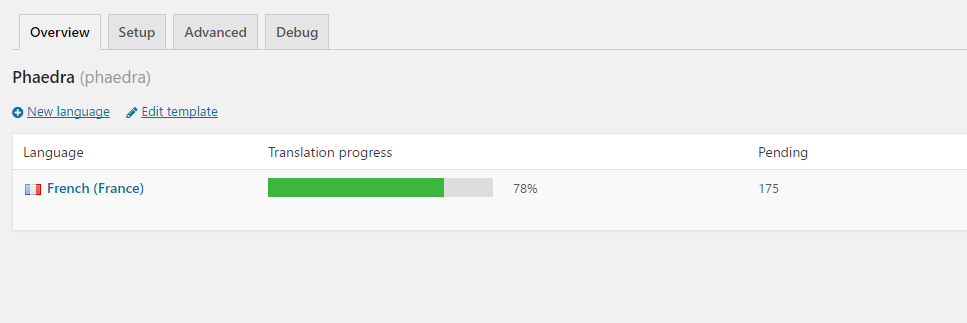
- Navigate to Loco Translate > Themes (or Plugins) and select the theme or plugin to translate.
- In the Overview tab, click New language or select an existing language to continue.
- Select each string and fill in the Translation field. Save after each session.
If you create a new translation or improve an existing one, please send your
.poand.mofiles to help@wolfthemes.com — it is much appreciated!
Translate with Poedit
Poedit is a desktop app for translating from the .pot file. You will need to upload the files manually to your server after each update.
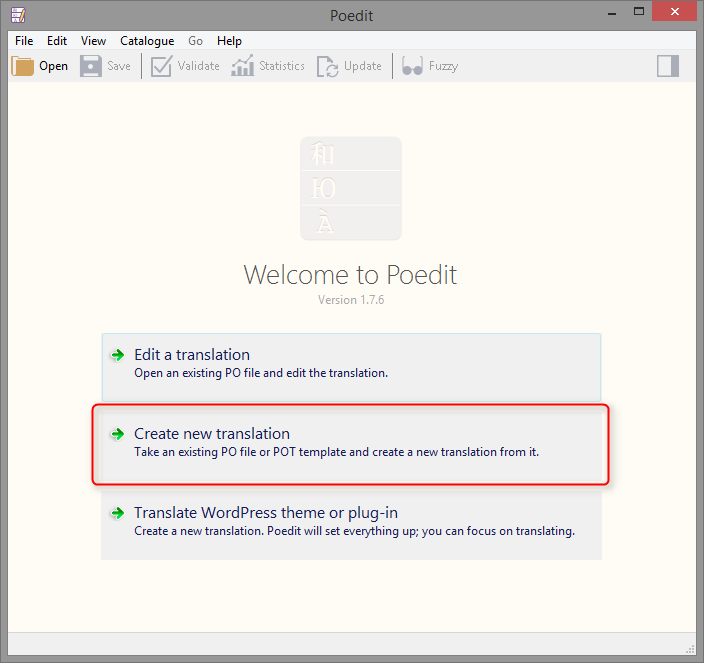
- Open Poedit and go to File > New from POT file.
- Select the
.potfile from your theme or plugin'slanguagesfolder. - Translate each string and save.
Name your translation files using the correct language code:
- French:
fr_FR.poandfr_FR.mo - German:
de_DE.poandde_DE.mo
For plugins, prefix with the plugin slug: wolf-plugin-slug-fr_FR.po and wolf-plugin-slug-fr_FR.mo.
Browse the WordPress language code list to find the correct code for your language.
Multi-language Sites
For multi-language websites, you can use the WPML plugin (premium).