
Appearance
Typekit / Adobe Fonts
You can add any Typekit (Adobe) Font to your theme directly in the theme options, then select it in the Customizer Fonts tab or in the page builder wherever a font option is available.
How to Load Typekit Fonts
1. Install and activate the Typekit Fonts for WordPress plugin and follow the instructions in this video to enqueue your Typekit fonts on your website:
2. Go to Appearance > Theme Options > Fonts tab (or Appearance > Font Loader) and add your fonts separated by a | character, for example:
Adobe Caslon Pro|Acumin Pro
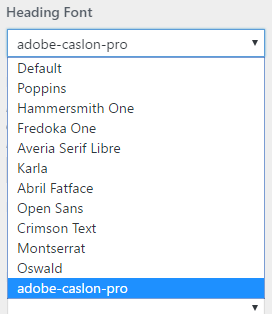
Your Typekit fonts will now be available anywhere in the theme where a font option is present.
Note: this feature is not available in older themes released before "Bite".