
Appearance
How to Import Templates in Elementor
Importing a Template
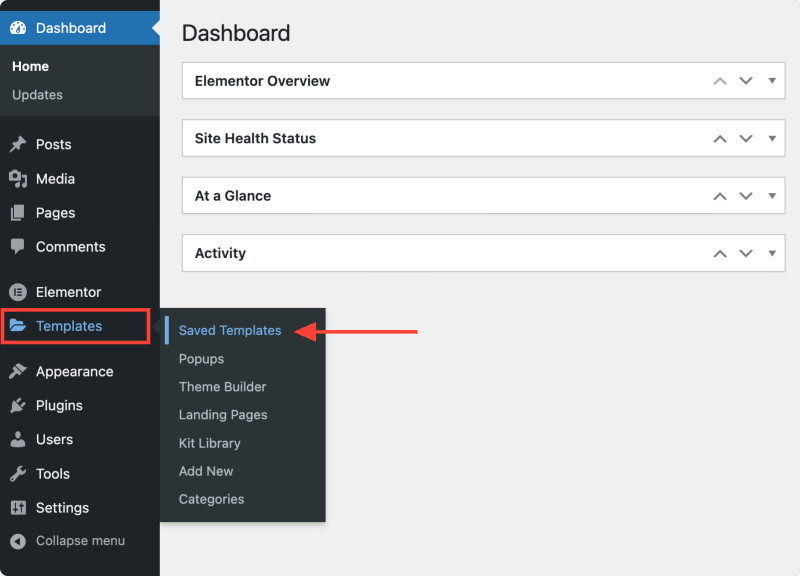
- Go to Templates > Saved Templates in your WordPress Dashboard.
- Click Import Templates at the top of the page, upload the JSON file and click Import Now.
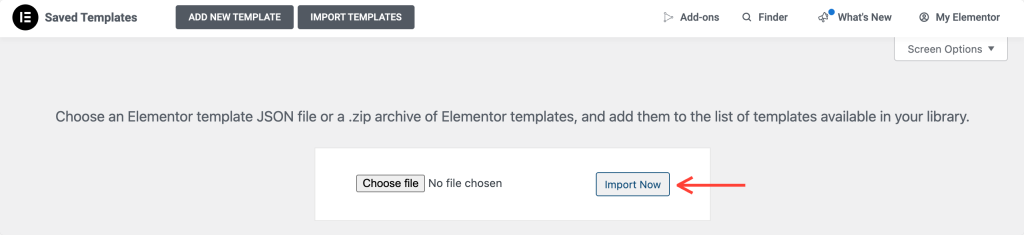
Once imported, the template will appear in your template list and can be used in any layout.
Inserting a Saved Template
You can insert a saved section or a complete template into any page:
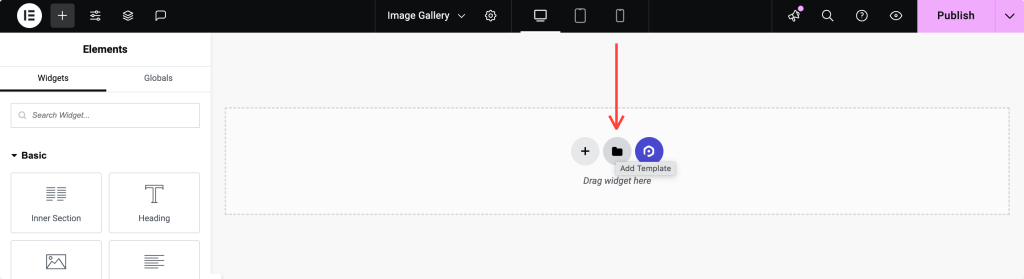
- Click the folder icon in the Elementor widget area.
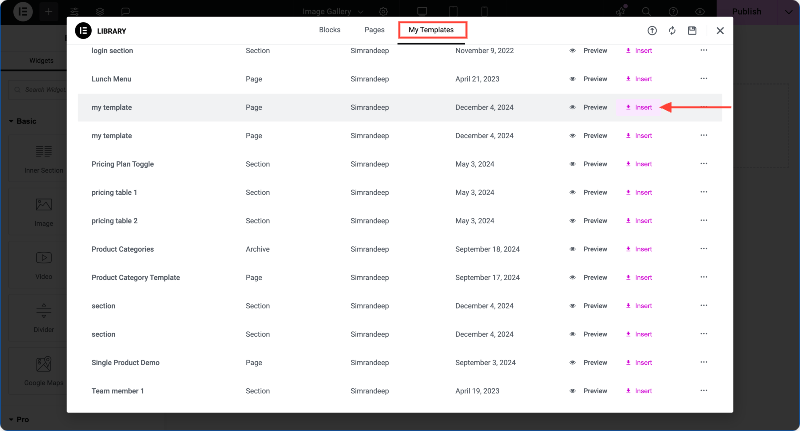
- In the Elementor library, go to the My Templates tab. Find your template and click Insert.
- A prompt will ask whether you want to override the current page's design and settings. Choose Apply or Don't Apply depending on your needs.