Appearance
Google Fonts Loader
You can load any Google Font and use it for your menu, headings, body text and more.
How to Load Google Fonts
- Go to the Google Fonts website and select the fonts you like.
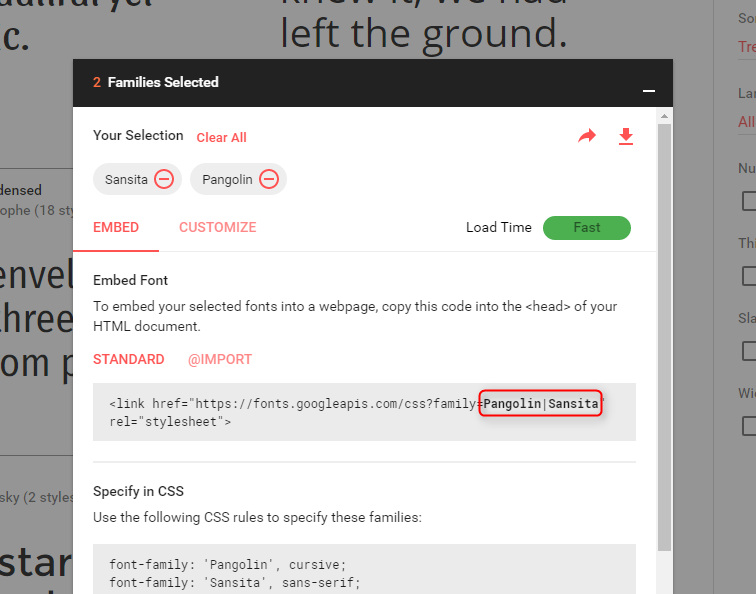
- Open the Families Selected panel at the bottom right of your screen.
- Copy the fonts list from the last part of the URL, right after
?family=.
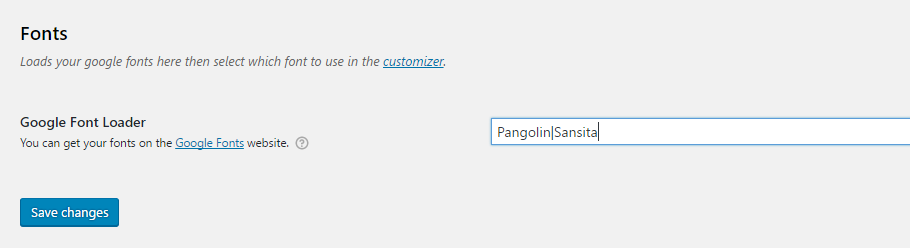
- Go to Appearance > Font Loader in your WordPress admin and paste your fonts list.