Appearance
SVG Logo
Our themes released from June 2017 onwards support SVG logos.
SVG (Scalable Vector Graphics) is a vector image format that provides a modern, retina-ready logo solution. It also allows the theme to automatically change the logo color depending on context (e.g. light vs dark header). This tutorial will familiarize you with the SVG format.
How to Export an SVG Logo in Adobe Illustrator
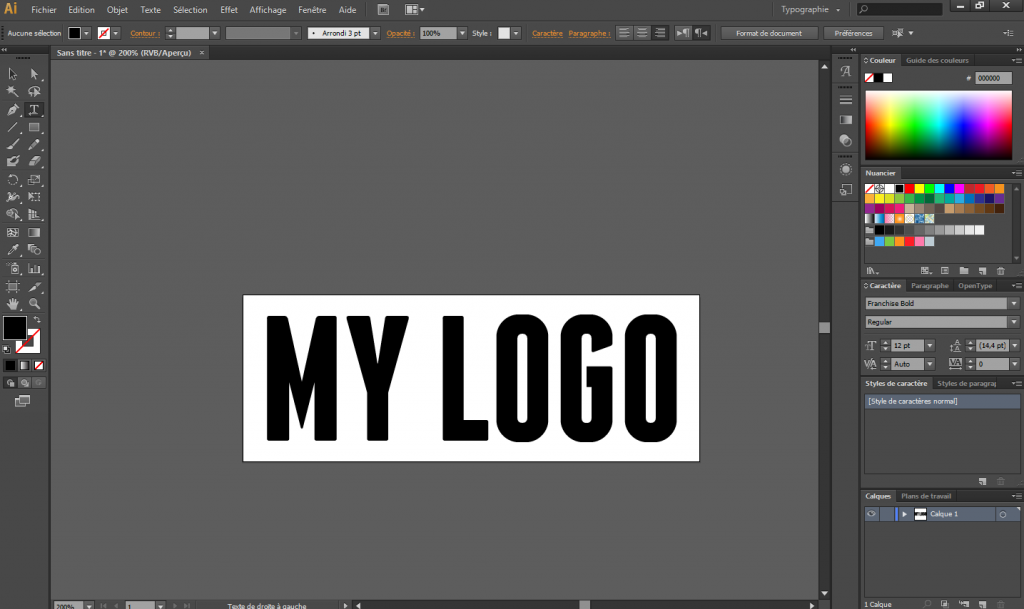
1. Create your logo with your desired font using the text tool, with your chosen proportions and padding.
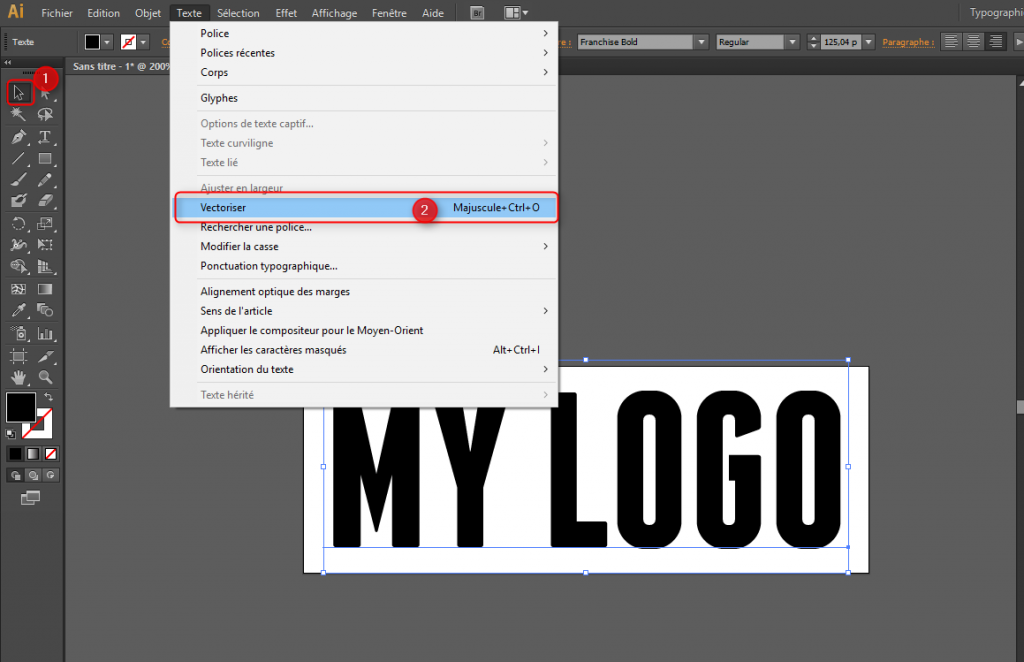
2. Once done, vectorize the text. Select your text with the selection tool, then go to Type > Create Outlines.
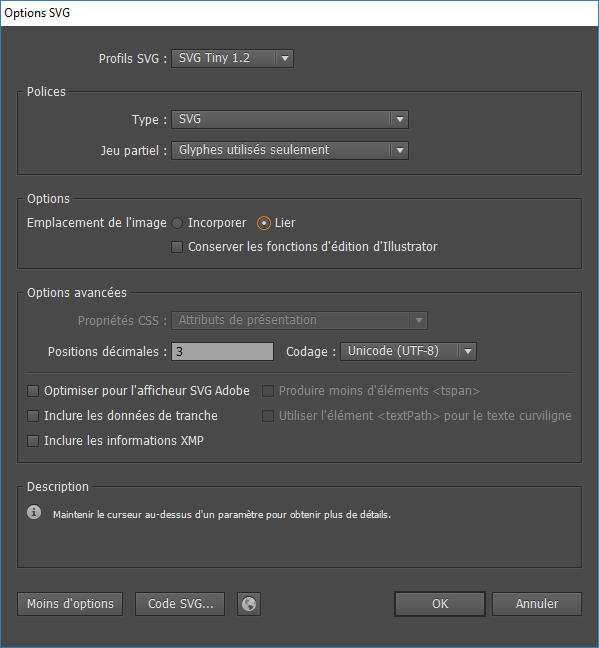
3. Export your SVG via File > Save As and choose the SVG format with the following settings: